NEW! Compare your current
IT quote

IT Backup Best Practices: Protecting Your Business Data in 2026
In this blog, we’ll unpack why IT backup matters more than ever, explore the best practices every business should adopt, and share a clear checklist to help you protect your company’s most valuable digital assets.

Rik Page
Sales & Operations Director
Table of Contents
Introduction
When it comes to IT backup best practices, the year 2025 is shaping up to be the most critical yet for businesses of all sizes. With rising cyber threats, regulatory pressure, and hybrid work models becoming the norm, your organisation cannot afford to treat backup and recovery as an afterthought. Data is the backbone of every modern business, and if you lose access to it—even temporarily—the consequences can be financial, operational, and reputational.

Rik Page
Sales & Operations Director
Let me guide you
We are Experts working with top vendors like Lenovo, Microsoft, Go-To & so much more. We can help with anything!
- No obligation
- No Haggling
- Trusted support
Why IT Backup Best Practices Matter in 2025
The digital landscape has shifted dramatically. Cybercriminals are no longer targeting just big enterprises—SMEs are prime targets because attackers know smaller IT teams often have weaker defences.
Add to that:
- Ransomware is at an all-time high, with double-extortion attacks (data theft + encryption) becoming standard.
- PSTN switch-off and VoIP adoption mean more systems rely on digital uptime.
- Cloud reliance has created a false sense of security—many businesses assume Microsoft 365 or Google Workspace are “backups,” but they’re not.
- Regulatory pressure (GDPR, sector-specific compliance) demands secure, retrievable data.
In short: without robust IT backup best practices, your organisation risks downtime, fines, or worse, permanent data loss.
Common Backup Mistakes Businesses Still Make
Despite knowing the risks, many businesses still get backups wrong. Here are the top pitfalls we see:
- Relying on a single backup location (if that fails, you’re done).
- Confusing sync with backup (OneDrive and Dropbox are not backups).
- Never testing recovery (a backup is useless if you can’t restore it).
- Ignoring SaaS data (email, Teams, and SharePoint need proper backups too).
- Forgetting endpoints (laptops, tablets, mobiles all carry critical data).
These mistakes aren’t just common—they’re costly. A failed backup can stall operations for days.
The 3-2-1 Rule: Still the Gold Standard
One of the oldest but most reliable IT backup best practices is the 3-2-1 rule:
- 3 copies of your data (production + 2 backups).
- 2 different media types (e.g., cloud + local storage).
- 1 copy offsite (for disaster recovery).
In 2025, many businesses are upgrading this to 3-2-1-1-0:
- One immutable copy (cannot be changed/deleted).
- Zero errors (verified with automated backup testing).
This ensures you’re prepared for ransomware, hardware failure, or natural disasters.
Cloud vs On-Premises Backup: Which Works Best?
Best practice in 2025: A hybrid approach. Use local storage for speed and cloud for resilience.
Protecting Against Ransomware with Immutable Backups
Ransomware attackers don’t just encrypt live data—they often target backups too. That’s why immutable backups are becoming essential.
Immutable storage means once the data is written, it cannot be altered or deleted for a set period. Even if attackers gain admin access, they can’t destroy this copy.
Solutions like Barracuda Cloud-to-Cloud Backup and Veeam now provide built-in immutability. If ransomware strikes, you’ll always have a safe restore point.
Compliance and Legal Considerations for UK SMEs
UK businesses face growing regulatory demands:
- GDPR requires personal data to be securely stored and retrievable.
- Sector-specific compliance (healthcare, education, finance) adds stricter retention rules.
- Audit trails must show who accessed data and when.
Failing to follow IT backup best practices isn’t just risky—it could mean fines or reputational damage.
IT Backup Checklist for 2025
Here’s a practical checklist your business can use right now:
✅ Follow the 3-2-1-1-0 rule.
✅ Include SaaS platforms (Microsoft 365, Google Workspace).
✅ Cover endpoints (laptops, mobiles, tablets).
✅ Enable immutable storage for ransomware defence.
✅ Test restores quarterly.
✅ Document retention policies.
✅ Monitor backups daily with alerts.
✅ Encrypt all backup data in transit and at rest.
How Qual Limited Helps Businesses Get Backup Right
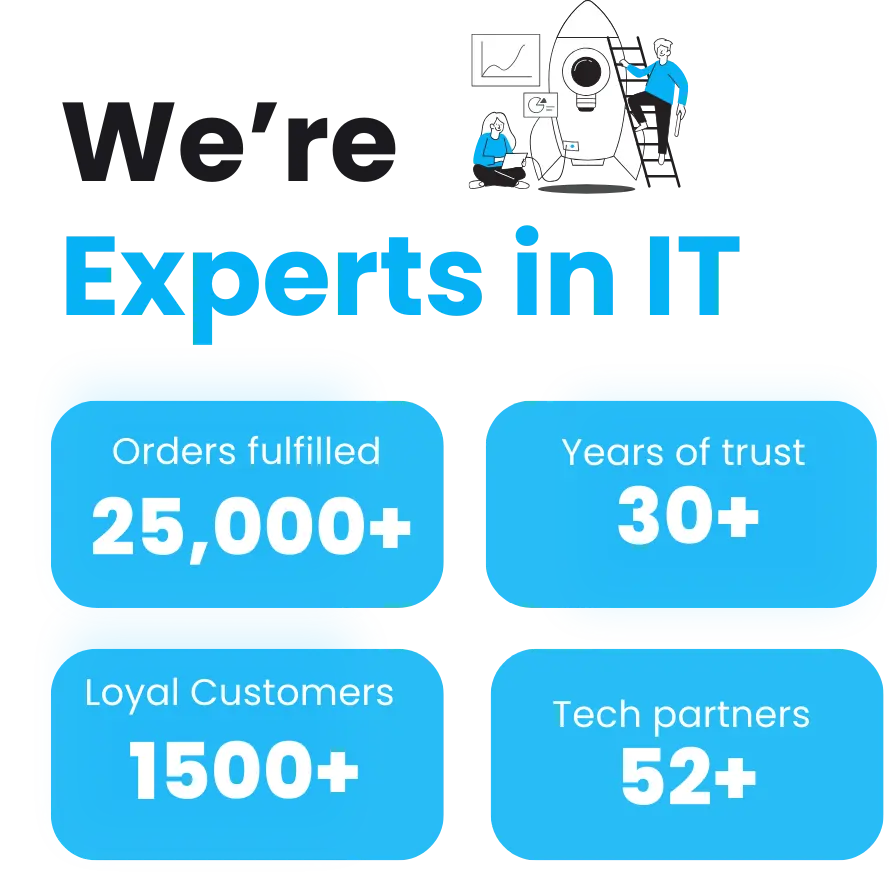
At Qual Limited, we’ve spent 30 years helping UK businesses plan, build, operate, and monitor IT systems that actually work. Our vendor partnerships with Barracuda, Veeam, and Microsoft mean we can deliver tier-one backup and recovery solutions tailored to your exact needs.
Whether you’re looking to protect 50 endpoints or thousands of users across Microsoft 365, we’ll ensure you’re covered with a resilient, compliant, and cost-effective backup strategy.
FAQs About IT Backup Best Practices
Is Microsoft 365 a backup?
No. Microsoft provides uptime and replication, not full backup or long-term retention.
How often should we test backups?
At least quarterly. Some businesses do monthly tests for critical systems.
What’s the difference between backup and disaster recovery?
Backup = making copies of data. Disaster recovery = the ability to restore quickly after downtime.
Do SMEs really need immutable backups?
Yes. Attackers often target smaller businesses knowing defences are weaker. Immutability ensures you always have a safe copy.
Final Thoughts and Next Steps
The reality is simple: in 2025, businesses cannot operate without robust IT backup best practices. Cyber threats, compliance, and hybrid work all demand resilient backup strategies that go beyond “just in case.”
If your business isn’t confident about its backup and recovery setup, now is the time to act. Don’t wait for an incident to expose the gaps—build resilience now.
Work with Qual Limited: Your Backup & Recovery Partner
Qual Limited helps SMEs across the UK implement IT backup best practices that protect data, cut risk, and keep operations running smoothly. Our team will review your infrastructure, identify gaps, and deploy a customised backup strategy that evolves with your business.
📞 Ready to strengthen your IT resilience? Let’s talk.
Continue Reading: IT Risk & Support Strategy
Understanding operational risk, IT resilience, and structured technology management is essential for organisations reviewing their IT strategy. These guides explore the most common risks businesses face when managing infrastructure and selecting the right IT support approach.
Reactive IT Management Risks
Learn how reactive IT environments introduce hidden operational risks that can lead to downtime, security exposure, and unstable systems.
Single Point of Failure in IT: The Hidden Risk That Breaks Businesses
Discover how single points of failure develop inside IT environments and how resilient infrastructure planning removes them.
Immutable Backup: The Last Line of Defence in Your IT Resilience Strategy
Understand why immutable backup is now considered one of the most important defences against ransomware and data loss.
Business Continuity vs Disaster Recovery: RTO, RPO and Real-World IT Planning
Explore how continuity planning and disaster recovery strategies work together to protect organisations from operational disruption.
Evaluating Your IT Support Model
If your organisation is reviewing its IT support structure or considering changing providers, these guides explain what businesses should evaluate before committing to a new support agreement.
Signs Businesses Have Outgrown IT Support
Identify the warning signs that your current IT support model may no longer support the growth or operational requirements of your business.
Managed IT Services vs Break-Fix Support
Compare proactive managed IT services with traditional reactive support models and understand which approach provides greater stability and long-term value.
How to Choose a Risk-Led IT Support Provider in the UK
A practical guide explaining what businesses should evaluate when selecting an IT support partner focused on risk reduction and operational stability.
Assess Your Current IT Risk Exposure
Before committing to new infrastructure or a new IT support provider, you can also:
Complete the IT Governance & Risk Snapshot to identify operational risk gaps.
Use the IT Quote Comparison Tool to validate supplier pricing and review IT proposals.
Rik Page
Sales & Operations Director
Let me guide you
We are Experts working with top vendors like Lenovo, Microsoft, Go-To & so much more. We can help with anything!
- No obligation
- No Haggling
- Trusted support