- Written by Ataullah Wali
Introduction
When discussing business resilience, the conversation often blurs between business continuity vs disaster recovery. For IT managers, this confusion creates risk. These are not interchangeable concepts. They serve different purposes, require different planning, and operate on different timelines. With increasing cyber threats, regulatory scrutiny and cloud dependency, organisations must clearly define how they prevent disruption and how they recover from it. Understanding the technical difference between continuity and recovery is fundamental to building a resilient IT environment that performs under pressure.
Is your quote fair?
Don't sign that contract yet. Check stock & price with Qual first.
Business Continuity vs Disaster Recovery: What’s the Core Difference?
At its simplest:
- Business Continuity (BC) is about keeping the business operational during disruption.
- Disaster Recovery (DR) is about restoring IT systems after disruption.
When comparing business continuity vs disaster recovery, the timeline is the key distinction.
Business continuity is proactive and operational.
Disaster recovery is reactive and restorative.
Continuity planning ensures:
- Staff can work
- Systems remain accessible
- Communication continues
- Revenue-generating functions stay active
Disaster recovery planning ensures:
- Data is restored
- Infrastructure is rebuilt
- Systems are brought back online
- Integrity is verified
Understanding business continuity vs disaster recovery properly prevents organisations from assuming backup alone equals resilience.
Why IT Managers Must Separate the Two
One of the biggest mistakes in resilience planning is merging BC and DR into a single document.
Backup does not equal business continuity.
For example:
- You may have excellent offsite backup.
- But if your internet line fails, can staff work?
- If identity services fail, can users authenticate?
- If your primary cloud tenant is unavailable, what is the continuity plan?
This is where the difference between business continuity vs disaster recovery becomes operationally significant.
A strong DR solution may restore data within four hours.
But without a continuity plan, you may lose productivity immediately.
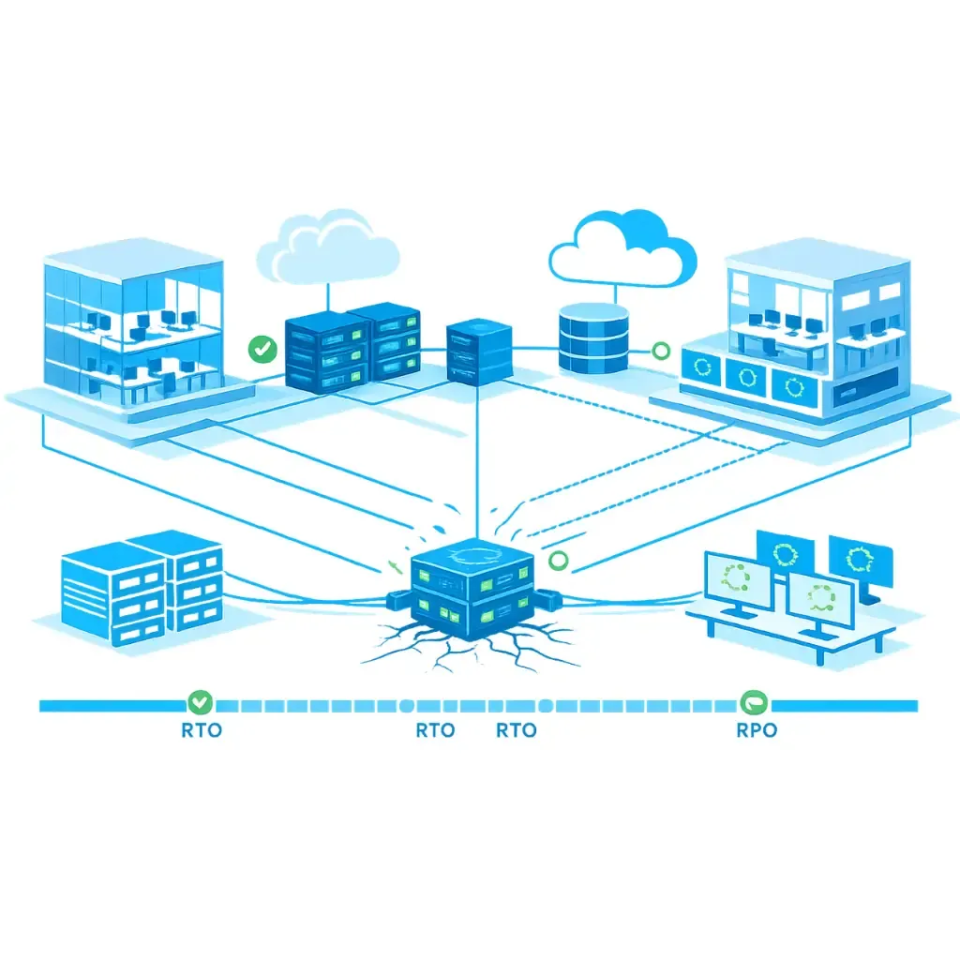
Understanding RTO and RPO Properly
No discussion about business continuity vs disaster recovery is complete without RTO and RPO.
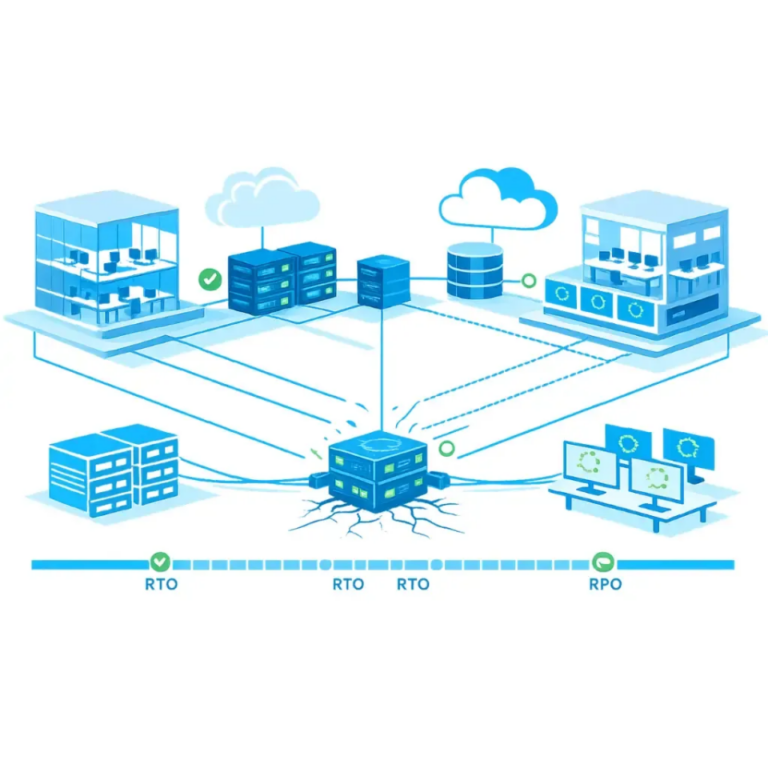
Recovery Time Objective (RTO)
RTO defines how quickly a system must be restored after failure.
For example:
- Email RTO: 1 hour
- ERP RTO: 4 hours
- Archive RTO: 24 hours
RTO is tied directly to business tolerance for downtime.
Recovery Point Objective (RPO)
RPO defines how much data loss is acceptable.
For example:
- 15-minute RPO = maximum 15 minutes of data loss
- 4-hour RPO = data may roll back up to 4 hours
When evaluating business continuity vs disaster recovery, RPO is primarily a disaster recovery metric.
Continuity planning focuses more on operational uptime.
Why RTO and RPO Matter to IT Managers
If RTO and RPO are undefined:
- Backup configuration becomes guesswork
- Infrastructure investment becomes reactive
- Risk conversations with leadership lack clarity
RTO and RPO must align with business impact analysis, not technical preference.
How Business Continuity Works in Practice
Business continuity planning includes:
- Redundant internet connections
- High-availability firewalls
- Failover networking
- Hybrid working capability
- Remote access resilience
- Alternate workspace strategy
Continuity is about maintaining functionality even when part of the environment fails.
For example:
If your primary ISP fails, traffic automatically routes via secondary connectivity.
Users remain online.
Operations continue.
This is business continuity in action.
Effective continuity planning must sit within a wider IT resilience strategy that aligns infrastructure, cloud services and governance.
How Disaster Recovery Works in Practice
Disaster recovery planning includes:
- Offsite backup
- Immutable storage
- Replication to secondary location
- Azure Site Recovery or equivalent
- Virtual machine replication
- Restore testing
DR activates after an incident.
For example:
- Ransomware encrypts primary systems
- Servers fail catastrophically
- Data corruption spreads
Disaster recovery restores clean systems.
The business continuity vs disaster recovery difference here is timing.
Continuity keeps you operational during failure.
Recovery rebuilds you after failure.
Where Most IT Plans Fail
Many organisations have:
- A backup solution
- A DR policy document
- Some redundancy
But no integrated design.
Common failure points include:
- No documented RTO/RPO
- No tested restore process
- No failover internet
- No identity redundancy
- No vendor contingency planning
Without testing, disaster recovery is theoretical.
Without continuity, uptime depends on luck.
Cloud, Hybrid and Continuity Complexity
Cloud simplifies infrastructure but complicates dependency.
When evaluating business continuity vs disaster recovery in cloud environments, consider:
- Identity provider resilience
- Tenant-wide outages
- SaaS data protection gaps
- API dependency
- Vendor lock-in
For example:
Microsoft 365 provides availability.
But it does not provide full historical backup.
Without independent backup, cloud becomes a concentration risk.
Hybrid environments increase complexity further:
- On-prem authentication
- Cloud-hosted workloads
- VPN dependency
- Conditional access
Continuity must account for every integration point.
Testing, Governance and Documentation
Testing separates real resilience from assumptions.
Business continuity testing includes:
- Failover internet simulation
- Remote access load testing
- Identity outage simulation
Disaster recovery testing includes:
- Full VM restore tests
- Backup integrity checks
- Ransomware scenario simulation
Testing validates RTO and RPO.
Without testing, business continuity vs disaster recovery planning remains incomplete.
These governance controls should form part of your documented IT Resilience Framework, not exist as isolated technical procedures.
The Financial Impact of Getting It Wrong
Downtime costs extend beyond IT.
Consider:
- Staff downtime
- Customer SLA breaches
- Regulatory fines
- Reputational damage
- Emergency consultancy
Often, the cost of prevention is significantly lower than recovery.
When organisations misunderstand business continuity vs disaster recovery, they invest in recovery only and neglect operational uptime.
Remove Assumptions. Build Structure.
Business resilience is not accidental.
It requires:
- Defined objectives
- Documented architecture
- Layered defence
- Independent backup
- Network redundancy
- Vendor awareness
- Continuous review
Before investing in additional software, review your complete IT resilience guide and ensure continuity and recovery are clearly separated.
If your RTO and RPO are unclear, or your continuity plan has never been tested, speak to Qual Limited.
We work with IT managers across the UK to design realistic, cost-effective resilience plans that perform under pressure.
Book a call with one of our account managers today.
Ready to upgrade your IT?
Get the technology your business needs with our transparent pricing and expert support.
FAQs
What is the difference between business continuity and disaster recovery?
Is backup the same as disaster recovery?
Does cloud eliminate the need for disaster recovery?
How often should DR be tested?
What happens if RTO is undefined?
Next Steps
If your organisation cannot clearly explain business continuity vs disaster recovery, there is likely risk exposure.
Define your RTO.
Define your RPO.
Test your recovery.
Design proper continuity.
Qual Limited can help you build a resilience plan that aligns technical architecture with operational reality.
Related Guidance From Our IT Experts
Explore practical guidance on security risks, Microsoft licensing changes, and IT infrastructure challenges facing UK organisations.
👉 Windows 10 security risks after end of support
👉 Understanding VMware’s new licensing rules
👉 Best XDR solutions for UK organisations
👉 Protecting education data against loss
👉 Microsoft Entra ID for education