- Written by IT Support Team
Introduction
Businesses signing a new support agreement often focus on price first and detail second. That is exactly where problems begin. A strong it support contract checklist helps you compare what providers actually deliver, what they exclude, and what risks stay with your business after the contract is signed.
Why an IT support contract checklist matters
An it support contract checklist matters because IT support contracts are rarely judged on the right things.
Many businesses compare:
- monthly price
- user count
- headline SLA
- whether onsite visits are included
Those points matter, but they are not enough.
A contract is really a statement of responsibility. It tells you:
- what the provider will manage
- what they will not manage
- when they will respond
- how performance will be reviewed
- where risk still sits with your business
Without a proper it support contract checklist, it is easy to choose a provider that appears cheaper, but only because critical services are missing or loosely defined.
That is especially risky for SMEs. A smaller business often depends more heavily on a support partner because it does not have large internal IT teams, dedicated security specialists, or spare operational capacity. If the contract is weak, the business carries the consequences.
What an IT support contract should actually do
A modern IT support contract should do more than provide a helpdesk.
A good agreement should:
- define service scope clearly
- set expectations for response and escalation
- assign responsibility for patching, monitoring, and maintenance
- explain how security issues are handled
- show how service performance is reported
- reduce ambiguity around what is covered
This is where an it support contract checklist becomes useful. It moves the conversation away from “How much does it cost?” and towards “What are we actually buying?”
If you are already comparing suppliers, the contract should be reviewed alongside the supplier’s service scope, reporting process, escalation model and long-term accountability. This helps ensure the agreement reflects what the business actually needs before committing to a long-term provider.
Scope of support: what is included and what is not
The first section in any it support contract checklist should be support scope.
This sounds basic, but it is where many disputes start.
A provider may say they offer “fully managed support”, but what does that mean in practical terms? Does it include:
- user helpdesk?
- server monitoring?
- firewall management?
- Microsoft 365 administration?
- patching?
- third-party software support?
- printer issues?
- network troubleshooting?
If the contract does not define scope properly, your business will assume one thing while the provider assumes another.
What to look for
Your contract should clearly state:
- which systems are covered
- which devices are covered
- which services are covered
- which tasks are billable extras
- which responsibilities stay with your business
An it support contract checklist should also ask whether hardware procurement, warranty claims, supplier liaison, and license management are included. Those are often assumed by the client but treated as additional services by the provider.
Service hours and support availability
Not every business needs 24/7 support, but every business should know exactly when support is available.
A strong it support contract checklist should confirm:
- support desk opening hours
- out-of-hours arrangements
- public holiday coverage
- critical incident availability
- escalation routes outside normal hours
Some providers market broad support coverage but only provide full service during office hours. Others offer out-of-hours incident response but only for infrastructure, not users.
That distinction matters.
For example, if your team works early, late, or across multiple sites, a narrow support window may create avoidable disruption.
Practical question to ask
Ask the supplier:
What happens if we have a critical outage outside standard support hours?
The answer should be clear, documented, and reflected in the contract.
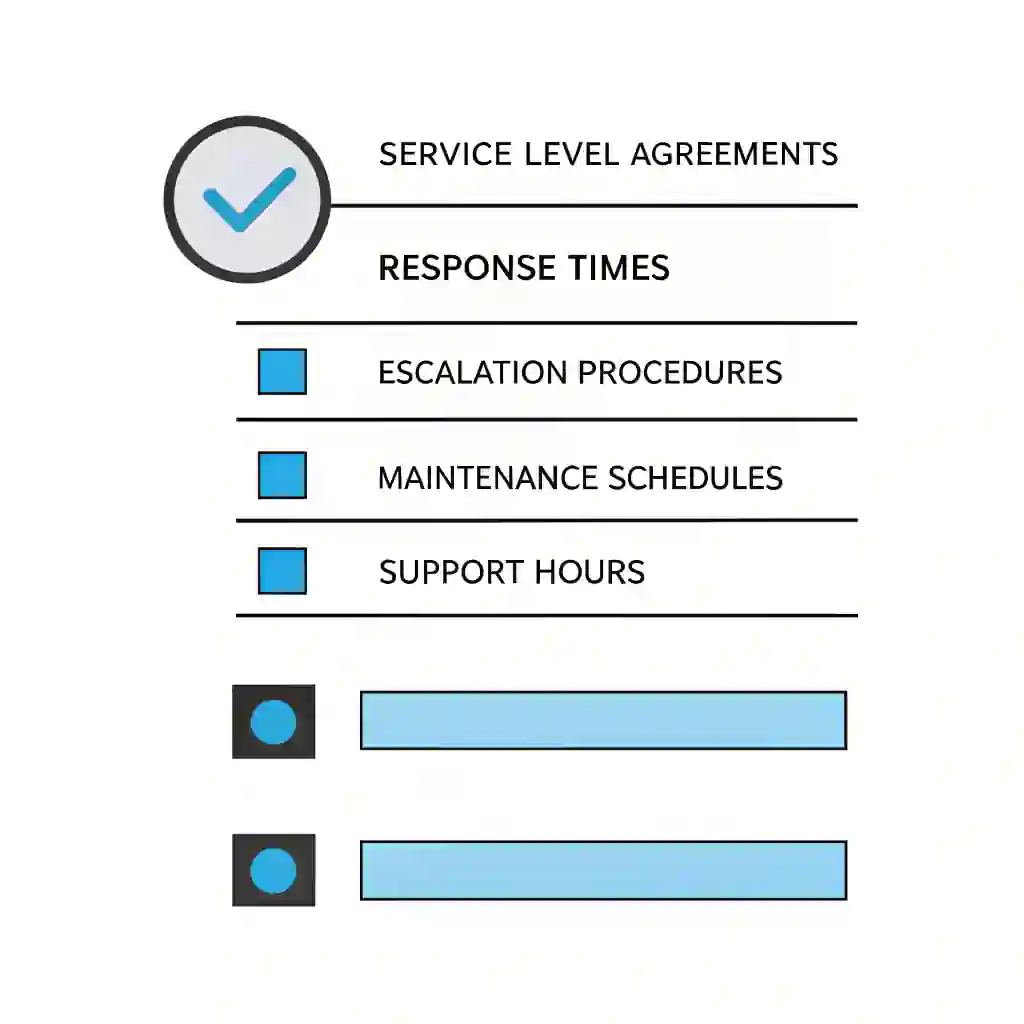
Response times and resolution targets
This is one of the most important parts of an it support contract checklist.
Most providers mention SLAs, but many buyers only look at the response time. That is not enough.
A provider responding quickly to a ticket is useful, but if the issue is not resolved for hours or days, the user experience still suffers.
What to review
Check whether the contract defines:
- severity levels
- response times
- resolution targets
- escalation rules
- communication frequency during incidents
For example:
- Critical issue: response within 15 minutes, escalation immediately
- High issue: response within 1 hour
- Medium issue: response within 4 hours
- Low issue: response within 1 business day
These are just examples, but your it support contract checklist should require clear definitions.
Why this matters
A “critical” issue for one provider may mean complete server outage. For another, it may include any problem affecting multiple users. If severity definitions are vague, SLAs become meaningless.
This is also where businesses should compare IT support KPIs. Response times alone do not tell the full story. First-time fix rates, recurring issues, and user satisfaction matter too.
Before signing, make sure you understand how the SLA defines response times, resolution expectations, priority levels, escalation routes and supplier accountability. Our guide to IT support SLAs explained helps business decision-makers review these areas more clearly.
On-site support and remote support terms
A good it support contract checklist should explain whether on-site support is:
- included
- limited
- chargeable
- scheduled separately
- restricted by geography
Some providers include remote support as standard but charge extra for on-site attendance. That may be fine, but it should be explicit.
Questions to ask
Are onsite visits included in the monthly fee?
If yes, how many?
If not, what are the hourly or daily rates?
Is travel time charged?
Are there minimum call-out charges?
This is especially important for businesses with physical sites, local infrastructure, wireless issues, or hands-on hardware dependencies.
A support contract should remove uncertainty, not create more of it.
Cyber security responsibilities in the contract
This is where many legacy contracts now look outdated.
A modern it support contract checklist must review cyber security responsibilities carefully.
Some providers still treat security as separate from support. That is risky. In practice, patching, endpoint health, account hygiene, MFA, email security, and backup monitoring all affect operational support.
Your contract should clarify:
- who manages endpoint protection
- who applies security patches
- who reviews failed updates
- who monitors suspicious activity
- who handles phishing-related incidents
- who owns vulnerability remediation
- who manages Microsoft 365 security settings
A provider offering support without clearly documented security responsibility may still be working with an older reactive model.
That does not mean every support agreement must include full security services, but an it support contract checklist should always identify what is included and where extra services begin.
If a provider cannot explain this clearly, that is a warning sign.
Backup, disaster recovery, and business continuity clauses
Backups are one of the most misunderstood areas in support contracts.
Many businesses assume “backup included” means the provider is fully responsible for data resilience. That is not always true.
A strong it support contract checklist should review:
- whether backups are included
- what systems are backed up
- backup frequency
- retention periods
- restore testing
- who is responsible for recovery actions
- whether disaster recovery planning is included
Critical point
A backup is not the same as a recovery plan.
Your support contract should state whether the provider:
- only monitors backup success
- performs restore testing
- defines recovery priorities
- supports full disaster recovery planning
This matters because many support providers technically include backup tools but do not provide strategic recovery assurance.
If your organisation depends on uptime, operational continuity, or regulated data handling, this section of the it support contract checklist is non-negotiable.
Reporting, reviews, and governance expectations
A structured provider should not just fix issues. They should report on the service and review it with you.
That is why every it support contract checklist should include governance.
What good looks like
The contract should explain:
- what reports are provided
- how often they are shared
- who attends service reviews
- what metrics are reviewed
- how improvement actions are tracked
Examples of useful reporting include:
- ticket volumes and trends
- response and resolution performance
- recurring issue analysis
- patch compliance overview
- backup success and testing status
- security recommendations
- lifecycle and warranty concerns
Without regular reviews, support becomes reactive by default. You only notice problems after they affect the business.
A structured contract should support:
- monthly reviews for active environments
- quarterly strategic reviews for broader planning
- documented actions and follow-up
That is part of what makes a provider feel commercially mature rather than operationally loose.
This is also where reviewing IT support KPIs becomes useful, because response times alone rarely show the full picture of service quality.
Device, user, and location coverage
Another major part of any it support contract checklist is confirming exactly what is covered.
You should not assume that all users, all devices, and all locations are included automatically.
Review the contract for:
- named user limits
- included device counts
- servers covered
- networking equipment covered
- cloud systems covered
- branch offices included
- home workers included
This becomes especially important if your business is growing.
A contract that was fine when you had 15 users may no longer fit when you have 45 users, home workers, additional SaaS systems, and a second site.
This is also one reason many organisations start researching managed IT services cost UK. They want predictable support pricing as their environment becomes more complex.
Projects, changes, and work outside the agreement
This section causes a lot of confusion and surprise charges.
A good it support contract checklist must distinguish between:
- support work
- administration work
- project work
- change work
- consultancy work
For example, does the monthly agreement include:
- new user setup?
- PC rebuilds?
- office moves?
- firewall changes?
- server migrations?
- Microsoft tenant restructuring?
- security rollout projects?
Usually the answer is: some yes, some no.
That is normal. What matters is clarity.
What to ask
- What is treated as a project?
- What changes are chargeable?
- What engineering work is out of scope?
- Are there pre-agreed day rates?
- Is there a change approval process?
Your it support contract checklist should make sure no major grey areas remain.
Exit terms, notice periods, and handover risk
This part is often overlooked because buyers focus on starting the contract, not leaving it.
But a weak exit clause can create real operational risk.
An it support contract checklist should review:
- notice period
- termination rights
- early exit fees
- handover responsibilities
- access return procedures
- documentation handover
- admin credential transfer
- asset and license records
Why this matters
If you ever need to switch providers, poor exit wording can slow down access handover, documentation release, and operational continuity.
Ask yourself:
- Who owns the documentation?
- Who owns the configurations?
- Will they support transition out?
- Is there a defined off boarding process?
A strong provider should not avoid these questions.
If you are reviewing an existing supplier agreement, an IT support provider contract renewal review can help you assess service quality, recurring issues, reporting, cyber security responsibilities, renewal terms and whether the current support model still fits the business.
Hidden contract problems businesses often miss
Many businesses only realise contract weaknesses after signing.
Here are some of the most common issues a practical it support contract checklist should uncover.
Vague wording
Terms like “best endeavours”, “reasonable support”, or “as required” may sound harmless, but they can reduce accountability.
Weak exclusions wording
Sometimes critical systems are quietly excluded from support scope.
Security assumptions
Support is included, but responsibility for security monitoring, alert triage, or incident response is not.
Limited reporting
The provider fixes tickets but provides very little strategic visibility.
No lifecycle planning
The supplier supports today’s environment but does not help plan refreshes, warranty risk, or platform change.
Over-reliance on one engineer
If one person knows your environment and nobody else does, resilience is weak.
No service review rhythm
Without structured reviews, support stays tactical and reactive.
A good it support contract checklist helps you identify these issues before they become expensive.
Many of these issues appear more often when businesses are still relying on reactive support models rather than structured managed IT services vs break-fix support agreements.
A practical IT support contract checklist for UK businesses
Below is a practical it support contract checklist you can use when reviewing a supplier agreement.
Commercial and legal
- Contract term is clear
- Notice period is clear
- Pricing structure is documented
- Extra charges are defined
- Exit and transition wording is clear
Scope
- Covered users are listed
- Covered devices are listed
- Covered services are listed
- Exclusions are clearly stated
- Cloud, network, and server responsibilities are clear
Service delivery
- Support hours are documented
- Out-of-hours support is explained
- On-site support terms are clear
- Severity levels are defined
- Response and resolution targets are documented
Security
- Patch management ownership is defined
- Endpoint security responsibility is defined
- MFA and account security ownership is clear
- Email security role is understood
- Incident escalation process is documented
Resilience
- Backup scope is defined
- Recovery responsibilities are documented
- Restore testing is included or clarified
- Disaster recovery planning is included or clarified
Governance
- Reporting cadence is stated
- Service review schedule is documented
- KPIs are defined
- Improvement actions are tracked
- Strategic reviews are included if required
Change and projects
- Out-of-scope work is defined
- Project day rates or processes are documented
- Change approvals are controlled
- Additional engineering charges are understood
Exit and handover
- Offboarding process is defined
- Documentation handover is included
- Access return process is clear
- Support for transition is documented
If a contract fails multiple points on this it support contract checklist, the business should stop and review the agreement properly before signing.
A contract review is also a good time to reassess whether your current support model still fits, especially if your business is deciding whether to keep support internal, outsource fully, or use a blended model.
How to compare providers using the checklist
An it support contract checklist is not only useful for reviewing one contract. It is most powerful when comparing two or three providers side-by-side.
Create a simple scoring system.
For each provider, score:
- clarity of scope
- SLA transparency
- security responsibility
- backup and resilience coverage
- reporting and governance
- exit and handover terms
- value for money
This often reveals a clear difference between providers that seemed similar at first glance.
If you are already comparing supplier proposals, use the checklist to score each provider consistently across scope, SLA transparency, security responsibility, reporting, governance, handover terms and long-term value.
Final thoughts
A strong it support contract checklist protects your business from ambiguity, hidden costs, and weak service design.
The goal is not just to sign a contract. The goal is to sign the right one.
For UK businesses, that means choosing a support agreement that supports:
- operational stability
- security responsibility
- service visibility
- long-term planning
- clear accountability
The right supplier will not be afraid of detail. In fact, structured providers usually welcome it because strong contracts reduce confusion for both sides.
If your organisation is reviewing support agreements, compare them carefully before focusing only on monthly cost. A cheap agreement with weak governance, vague scope, and poor resilience support can become far more expensive over time.
If your organisation is reviewing long-term support options, explore how our Managed IT Services help businesses improve stability, security, and operational clarity.
Businesses reviewing supplier agreements often use this process to reassess their wider IT services for UK businesses strategy before committing to a long-term provider.
FAQs
What should be included in an IT support contract?
Why is an IT support contract checklist important?
What is the biggest mistake businesses make when reviewing IT support contracts?
Should cyber security be included in an IT support contract?
How do I compare IT support providers fairly?
What notice period is normal for an IT support contract?