






Urgent: Windows 10 is now no longer supported, making systems vunerabale : 👉 Get Expert advice now
NEW! Compare your current IT quote
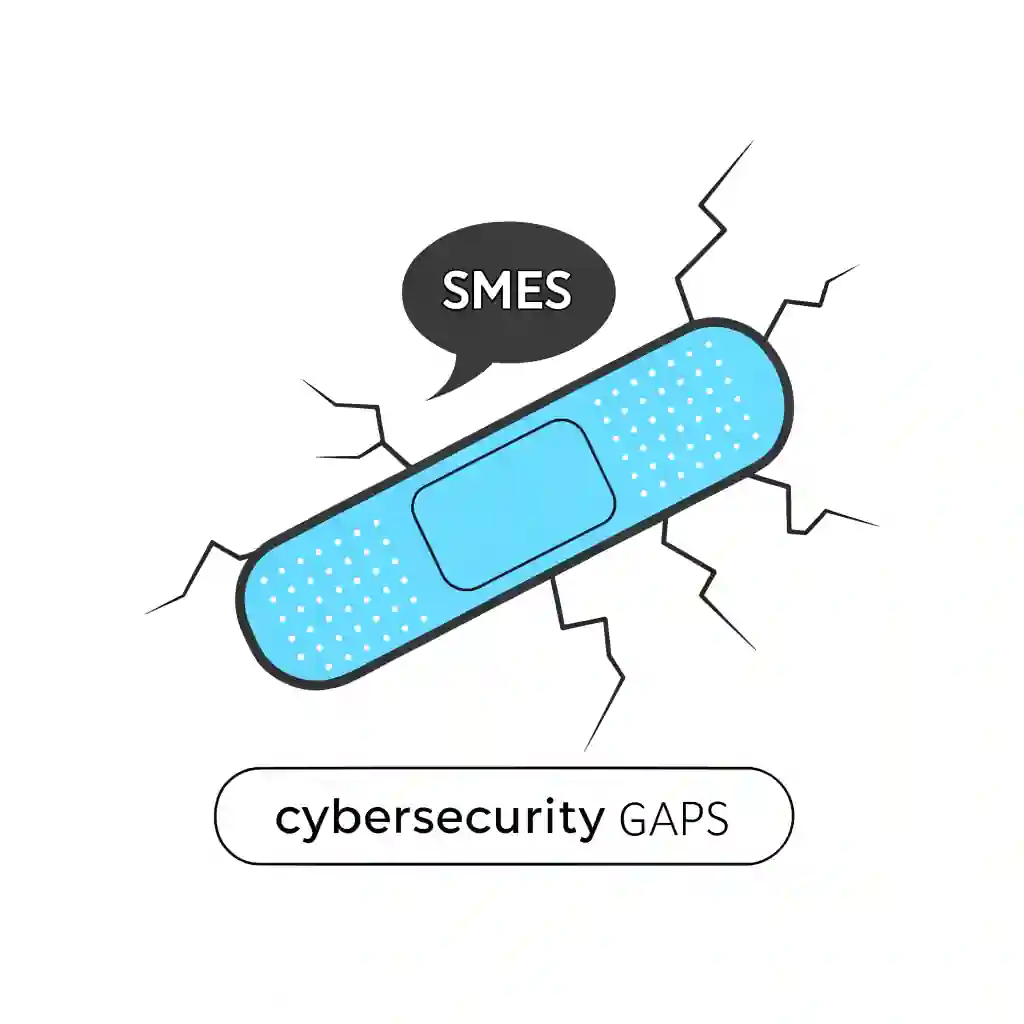
cyber security gaps for smes

The Top Cyber Security Gaps SMEs Overlook (and How to Fix Them Fast)

Table of Contents

Introduction

Cybersecurity gaps for SMEs are one of the biggest blind spots in modern IT, and they’re costing businesses more than they realise. In fact, most small and medium-sized enterprises don’t fall victim to cyberattacks because they don’t care about security—they fall victim because they’ve overlooked obvious vulnerabilities. Attackers know this, which is why SMEs have become prime targets: less budget, fewer resources, and often weaker defences.

The good news? Every gap can be fixed. And once you know where the holes are, you can take action to close them—before an attacker does.

Why SMEs Can’t Afford to Ignore Cybersecurity Gaps

The numbers don’t lie. According to recent reports, over 40% of cyberattacks now target SMEs, and the average cost of a single breach can exceed £120,000 when factoring in downtime, lost data, and reputational damage. For many SMEs, that’s enough to put them out of business.

Hackers love SMEs for one reason: they’re easy targets. They often run outdated systems, lack formal cybersecurity training, and rely on “good luck” more than strategy. In today’s climate, ignoring cybersecurity gaps isn’t a risk—it’s an invitation.

Gap #1 – Weak Passwords and Lack of MFA

It’s 2025, and yet “123456” is still one of the world’s most used passwords. Weak credentials are one of the biggest cybersecurity gaps for SMEs, and hackers take full advantage.

The Fix:
  • Enforce strong password policies (minimum 12 characters, mixed case, symbols).
  • Use password managers to avoid staff reusing the same credentials.
  • Implement Multi-Factor Authentication (MFA) across all business-critical applications.
Password Policy Checklist:
✅ Minimum password length of 12 characters
✅ Unique passwords for each account
✅ Mandatory MFA on email, finance, and admin portals

Gap #2 – Outdated or Unsupported Software

A major gap SMEs overlook is outdated software. Many still rely on Windows 10, which is fast approaching end of life (👉 [internal link marker to Windows 10 End of Life blog]). Once Microsoft stops patching it, every unpatched vulnerability becomes an open door for hackers.

Legacy applications and unsupported systems are a goldmine for cybercriminals.

The Fix:
  • Audit software regularly to identify outdated versions.
  • Plan ahead for OS migrations and software refresh cycles.
  • Work with a managed IT provider (like Qual Limited) to stay ahead of end-of-life announcements.

Gap #3 – Poor Endpoint Protection

SMEs increasingly support hybrid and remote work. Laptops, mobiles, and tablets travel between offices, homes, and coffee shops—but many aren’t properly monitored or secured. This makes them one of the most dangerous cybersecurity gaps for SMEs.

The Fix:

  • Deploy Endpoint Detection & Response (EDR) tools.
  • Enable encryption on all portable devices.
  • Use Mobile Device Management (MDM) to enforce security policies remotely.

Gap #4 – Insecure Cloud Setups

Cloud adoption is booming among SMEs, but misconfigured settings are leaving sensitive data wide open. Publicly accessible cloud storage buckets and poor access controls are common mistakes.

Shadow IT—where staff use unsanctioned apps to get work done—only widens this gap.

The Fix:
  • Regularly audit cloud permissions.
  • Restrict access with role-based controls.
  • Monitor usage and block risky third-party apps.

Gap #5 – No Backup or Recovery Plan

Far too many SMEs assume that using cloud platforms like Microsoft 365 or Google Workspace means their data is automatically safe. Unfortunately, it’s not. Cloud doesn’t equal backup. Ransomware, accidental deletions, and sync errors can all result in permanent data loss.

The Fix: Follow the 3-2-1 backup rule:
  • 3 copies of your data
  • 2 different storage media
  • 1 stored offsite or in the cloud

Comparison Table: Backup Options for SMEs

Gap #6 – Lack of Cybersecurity Awareness Training

Technology only goes so far. The biggest cybersecurity gap for SMEs? Their people. Staff clicking phishing emails, reusing passwords, or plugging in unknown USBs cause most breaches.

The Fix:
  • Regular staff training sessions.
  • Phishing simulations to build awareness.
  • Clear policies for device use and data sharing.

Gap #7 – Ignoring Patch Management

Every year, vendors release thousands of patches for newly discovered vulnerabilities. Yet SMEs often delay updates because they’re “busy.” Unfortunately, attackers scan for unpatched systems constantly.

Every year, vendors release thousands of patches for newly discovered vulnerabilities. Yet SMEs often delay updates because they’re “busy.” Unfortunately, attackers scan for unpatched systems constantly.

The Fix:
  • Automate patch management where possible.
  • Apply critical patches immediately.
  • Partner with a managed IT service provider to keep updates on schedule.
  • Automate patch management where possible.
  • Apply critical patches immediately.
  • Partner with a managed IT service provider to keep updates on schedule.

Gap #8 – No Incident Response Plan

Imagine your systems are breached tonight. Who do you call? What’s your first step? If your answer is “not sure,” you’ve identified another major cybersecurity gap for SMEs.

The Fix:
  • Create a documented Incident Response Plan.
  • Identify roles and responsibilities ahead of time.
  • Partner with Qual Limited to establish a playbook and response support.

Building a Cybersecurity Checklist for SMEs

Closing cybersecurity gaps for SMEs isn’t about expensive tech; it’s about good habits and structure. Here’s a quick-start checklist:

✅ Strong passwords + MFA
✅ Regular software audits and upgrades
✅ Endpoint monitoring & device encryption
✅ Cloud permissions managed and reviewed
✅ Backup strategy (3-2-1 rule)
✅ Cybersecurity awareness training
✅ Automated patch management
✅ Incident response playbook

How Qual Limited Helps Close the Gaps

At Qual Limited, we’ve spent 30 years helping SMEs plan, build, operate, and monitor IT systems. We work with tier-one partners to deliver cybersecurity solutions that actually stick. From securing your cloud setup to deploying EDR, patching, and backups—we close the gaps so attackers don’t get the chance.

This child blog ties back to our main [Definitive IT Checklist Pillar Blog] (internal link marker), where we cover the full IT picture for SMEs.

FAQ: Cybersecurity Gaps for SMEs

What are the most common cybersecurity gaps for SMEs?

Weak passwords, outdated software, lack of backups, and poor staff training top the list.

How can SMEs secure remote workers better?

Deploy EDR tools, enforce VPN usage, and roll out MDM solutions to secure mobile devices.

Do SMEs really need an incident response plan?

Yes. Even if your IT is strong, breaches still happen. A plan ensures faster recovery and less downtime.

Is cyber insurance worth it for small businesses?

Cyber insurance can soften the financial blow of a breach, but insurers often require proof of strong security controls first.

How can Qual Limited help SMEs improve their cybersecurity posture?

We provide managed IT services that close the gaps—covering prevention, detection, response, and recovery.

Conclusion

Cybersecurity gaps for SMEs aren’t just small cracks in your defences—they’re wide open doors for attackers. The sooner you identify and close these gaps, the safer your business will be.

🔒 Next Step: Talk to Qual Limited today about building your customised cybersecurity checklist and protecting your business for the long run.

Continue Reading: IT Risk & Support Strategy

Understanding operational risk, IT resilience, and structured technology management is essential for organisations reviewing their IT strategy. These guides explore the most common risks businesses face when managing infrastructure and selecting the right IT support approach.

Reactive IT Management Risks
Learn how reactive IT environments introduce hidden operational risks that can lead to downtime, security exposure, and unstable systems.

Single Point of Failure in IT: The Hidden Risk That Breaks Businesses
Discover how single points of failure develop inside IT environments and how resilient infrastructure planning removes them.

Immutable Backup: The Last Line of Defence in Your IT Resilience Strategy
Understand why immutable backup is now considered one of the most important defences against ransomware and data loss.

Business Continuity vs Disaster Recovery: RTO, RPO and Real-World IT Planning
Explore how continuity planning and disaster recovery strategies work together to protect organisations from operational disruption.

Evaluating Your IT Support Model

If your organisation is reviewing its IT support structure or considering changing providers, these guides explain what businesses should evaluate before committing to a new support agreement.

Signs Businesses Have Outgrown IT Support
Identify the warning signs that your current IT support model may no longer support the growth or operational requirements of your business.

Managed IT Services vs Break-Fix Support
Compare proactive managed IT services with traditional reactive support models and understand which approach provides greater stability and long-term value.

How to Choose a Risk-Led IT Support Provider in the UK
A practical guide explaining what businesses should evaluate when selecting an IT support partner focused on risk reduction and operational stability.

Assess Your Current IT Risk Exposure

Before committing to new infrastructure or a new IT support provider, you can also:

Complete the IT Governance & Risk Snapshot to identify operational risk gaps.
Use the IT Quote Comparison Tool to validate supplier pricing and review IT proposals.

 

Work With Qual Limited: Smarter Procurement, Better Results

At Qual Limited, we specialise in streamlining cyber security and fulfilment for businesses of all sizes. Our approach includes: 

  • A dedicated Personal Account Manager to handle your IT needs 
  • End-to-end procurement support, from vendor selection to delivery 
  • Strategic cost-saving solutions tailored to your budget 
  • Access to an extensive network of global IT vendors 

With 30 years of experience, we understand the challenges of IT procurement and provide customised solutions to eliminate inefficiencies, reduce costs, and improve IT fulfilment speed. 

IT procurement doesn’t have to be complex. Qual Limited simplifies the entire process, ensuring you get the right IT solutions at the right price, without the usual frustrations and delays. 

Book a consultation today with your dedicated Personal Account Manager and discover how we can streamline IT procurement, enhance efficiency, and drive cost savings.

Book your consultation now and take the stress out of cyber security with Qual Limited

James
James McKee

Cyber Security Expert

Tags

Category

Share This Blog

Get Expert Advice

Blog Contact Forms

Please note preferred dates are targets, not guarantees 

Search for blogs

Featured Blog

x
James

James McKee

Senior Cyber Security Specialist

Phone Number:
01293 400729

Biography

James, our Senior Cyber Security Specialist, has been a key part of Qual since 2004. With over a decade of experience, James is dedicated to protecting your business from cyber threats. He combines deep technical knowledge with a proactive approach, ensuring your systems are secure and risks are minimised. Whether it’s implementing the latest security measures or responding to incidents, James is committed to keeping your data safe and your business running smoothly

Chat with
James 👋

Contact James

By submitting, you consent to contact regarding our products and services in accordance with our Privacy Policy

meet the team

Tailored Expert Advice
is a few clicks away

Blog Popup

We’ll be in touch within the next 24 hours (Mon-Fri)

New Starter
IT Cost Calculator

New Starter IT Cost Calculator

£
%
£


Your estimated annual onboarding IT cost

Estimated cost: £

This estimate is based on your onboarding volume, average setup time, and whether laptops and day-one readiness are consistent.

Next: enter your email to receive a tailored recommendation.

System Upgrade
Check Instructions

Quick System Check Instructions:

  1. Press the Windows Key or click Start.
  2. Open Settings.
  3. Navigate to Update & Security.
  4. Select Windows Update.
  5. Click Check for updates.

Your system will automatically determine if Windows 11 is available for your device. If compatible, the upgrade option will appear. If not, you'll receive information about what needs to be updated to proceed.

Your system will automatically determine if Windows 11 is available for your device.

Business IT Services & Hardware | Qual Limited UK

We're ready
to help👋

Request a quick call back for a no-obligation chat. With over 30 years of practical experience, our UK-based experts are ready to help. Guaranteed no pushy sales, just a friendly call to understand your challenges and explore some potential solutions. 

Start the conversation

Qual Main Popup full page

Please note preferred dates are targets, not guarantees 

By submitting, you consent to contact regarding our products and services in accordance with our Privacy Policy

Business IT Services & Hardware | Qual Limited UK

Chat to
An Expert

Are you looking to connect with a dedicated account manager who can tailor IT solutions to meet your business needs?

Open

Mon – Fri: 9.00am – 5.30pm
Holidays: Closed

Start the conversation

Qual Main Popup full page

Please note preferred dates are targets, not guarantees 

By submitting, you consent to contact regarding our products and services in accordance with our Privacy Policy

Business IT Services & Hardware | Qual Limited UK

Chat to
An Expert

Are you looking to connect with a dedicated account manager who can tailor IT solutions to meet your business needs?

Open

Mon – Fri: 9.00am – 5.30pm
Holidays: Closed

Start the conversation

Qual Main Popup full page

Please note preferred dates are targets, not guarantees 

By submitting, you consent to contact regarding our products and services in accordance with our Privacy Policy