- Written by Dean Bent
Introduction: What Is Cloud Repatriation?
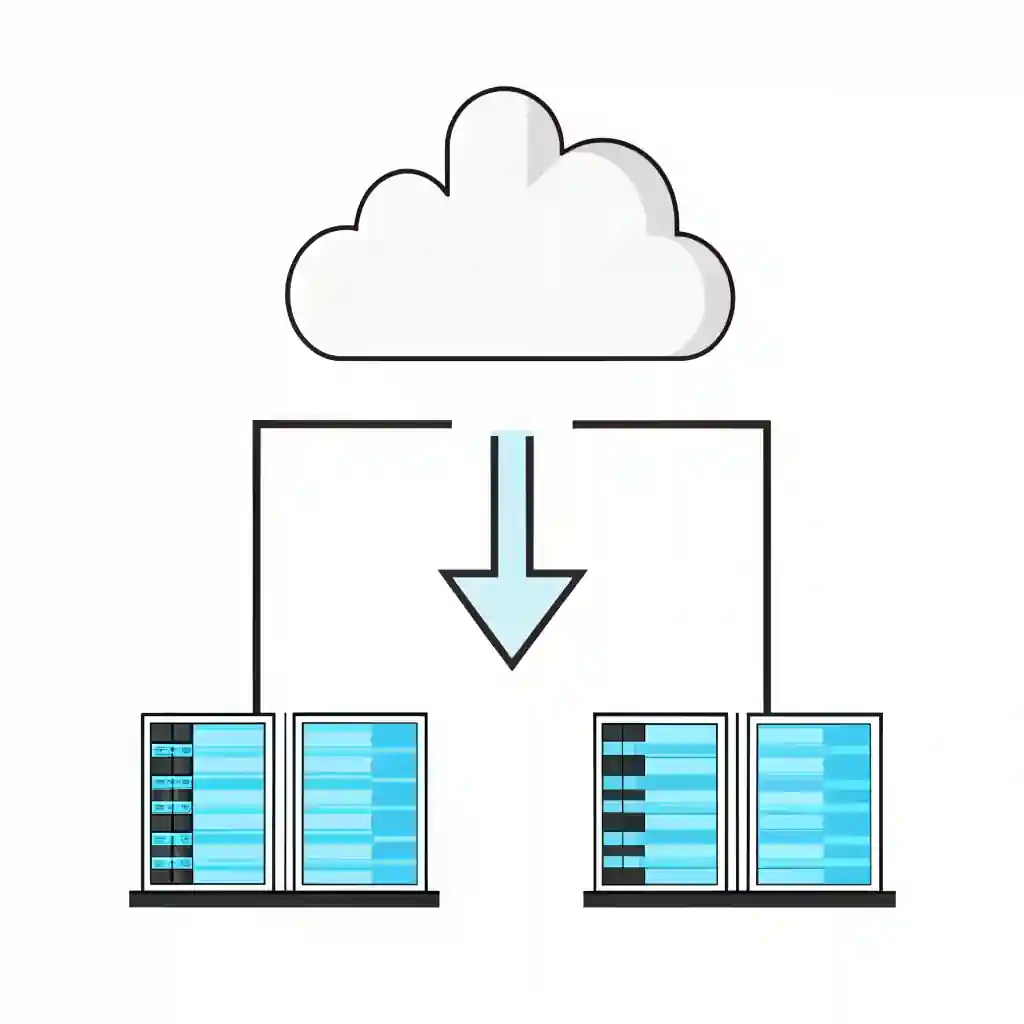
Cloud repatriation is one of those IT buzzwords that’s quietly become a very real business strategy. Simply put, it means moving workloads, applications, or data out of the public cloud and back to on-premises infrastructure, private cloud, or a hybrid setup.
It’s not about waving goodbye to the cloud entirely — more like saying: “Thanks, but we’ve changed our minds on a few things.” Businesses often start with a “cloud-first” mindset, then realise certain workloads don’t perform as well, cost more than expected, or face compliance challenges in the cloud. That’s where cloud repatriation comes in.

Carlton Alfred
Head of Infrastructure and Transformation Services
We are Experts working with top vendors like Lenovo, Microsoft, Go-To & so much more. We can help with anything!
- No obligation
- No Haggling
- Trusted support
Cloud Repatriation Is Not All or Nothing
Cloud repatriation should be seen as a flexible strategy rather than a complete reversal of cloud adoption. For many organisations, the goal isn’t to walk away from the cloud but to decide which workloads are best suited to different environments. This often results in a blended approach, where certain systems stay hosted in the cloud while others are brought back in-house. The important step is to assess each application against business goals and technical needs, then place it in the setting where it can deliver the greatest efficiency and value — whether that’s cloud, on-premises, or a combination of both.
Cloud vs Cloud Repatriation
Now that we’ve defined what cloud repatriation means, it helps to compare it directly with traditional cloud adoption. The table below highlights the key pros and cons of each, giving you a clear snapshot of how the two approaches stack up.
Why Cloud Repatriation Is on the Rise
So why are companies that once ran toward the cloud now walking back with boxes in hand? Four main drivers:
💰 Cost Pressures
Public cloud pricing often looks attractive at first. Pay-as-you-go, no upfront capex, scalable — sounds perfect. But as workloads grow, bills mount up. Hidden costs (like data egress fees, API calls, or storage retrievals) catch IT managers off guard. Cloud repatriation allows businesses to control and sometimes slash operating costs.
🔒 Security and Compliance Concerns
Some industries can’t risk placing sensitive workloads in a multi-tenant public cloud. Finance, healthcare, and education, for instance, face strict compliance demands. Cloud repatriation lets businesses regain direct control of their data and infrastructure.
⚡ Performance and Latency Issues
When applications rely on real-time data (think manufacturing IoT or trading platforms), cloud latency can be a deal-breaker. Businesses bring workloads back on-premises to improve speed and reliability.
🔗 Vendor Lock-In Frustrations
Cloud providers love to keep customers tied into their ecosystem. But businesses dislike being boxed in, paying more to scale, or struggling to move workloads elsewhere. Cloud repatriation is a strategic way to regain flexibility.
Cloud Repatriation vs Cloud Migration: The Key Differences
Let’s clear up a common mix-up.
Cloud Migration = moving workloads to the cloud (from on-premises or another environment).
Cloud Repatriation = moving workloads away from the public cloud (back to private infrastructure or hybrid models).
Think of migration as “moving in” and repatriation as “moving out (but keeping your own flat nearby just in case).”
Both require careful planning, but the drivers are different: migration is usually about innovation and scalability, while repatriation is about control, costs, and compliance.
Common Business Pain Points That Trigger Cloud Repatriation
Different businesses experience different challenges, but the core reasons tend to cluster by sector:
🏢 SMEs
Struggle with spiralling cloud costs as they scale.
Limited IT teams can’t always keep up with cloud management complexity.
Prefer simplified hybrid solutions with predictable pricing.
🏦 Large Enterprises
Worry about regulatory scrutiny in finance or healthcare.
Complex workloads may run better on-premises for performance reasons.
Use repatriation as part of a broader multi-cloud or hybrid strategy.
🎓 Regulated Industries (Finance, Healthcare, Education)
Data residency laws mean some data must stay on UK soil.
Healthcare often requires stronger control over patient records.
Education faces budget constraints, making cloud costs harder to justify.
The Pros and Cons of Cloud Repatriation
Cloud repatriation isn’t all sunshine and savings — businesses need to weigh the trade-offs carefully.
✅ Benefits
Cost control: predictable spend, less surprise billing.
Performance gains: lower latency, faster workloads.
Data sovereignty: full control of where data lives.
Compliance: easier to meet regulatory standards.
Flexibility: businesses aren’t locked to one provider.
⚠️ Risks
Upfront investment: on-premises kit requires capex.
Skills gap: IT teams must manage infrastructure directly.
Transition complexity: moving workloads back isn’t always smooth.
⚖️ Trade-Offs to Consider
Cloud repatriation isn’t about “cloud vs no cloud.” It’s about balancing the cloud’s benefits with the control of on-premises solutions. That’s why many businesses choose hybrid IT models as the middle ground.
Cloud Repatriation Strategies: How Businesses Bring Workloads Back
Cloud repatriation isn’t a one-size-fits-all job. Some businesses rush it (usually after a painful cloud bill lands), while others take a phased approach.
Here are the most common strategies:
🔄 Lift-and-Shift Back
Move workloads from public cloud back to on-prem without major redesign. Quick, but not always optimised.
🛠️ Replatforming
Tweak apps during repatriation to run more efficiently on-premises or private cloud. Requires planning but yields better long-term results.
🌐 Hybrid Integration
Keep some workloads in the cloud and bring others back, often for compliance or performance reasons. This is the most popular route in 2025.
📋 Example Use Case
A healthcare provider keeps patient records in a private data centre (compliance), but retains its cloud-based collaboration tools (flexibility).
Cloud Repatriation Checklist for Businesses
Before you pull workloads back from the cloud, here’s a checklist to follow:
✅ Cloud Repatriation Checklist
Assess cloud costs – compare monthly spend to projected on-prem/hybrid costs.
Review compliance needs – are you breaching residency or sector regulations?
Check workload performance – are latency and availability issues affecting staff/customers?
Evaluate internal skills – do your IT team have the capability to manage on-premises again?
Consider hybrid options – not everything needs to move back; decide workload by workload.
Budget for capex – servers, storage, and networking may need new investment.
Plan the transition – schedule downtime, backups, and rollback options.
Test after repatriation – validate performance, compliance, and security before scaling.
Real-World Examples of Cloud Repatriation
Cloud repatriation isn’t just theory — some big names have done it.
Dropbox: Moved much of its infrastructure out of AWS to its own data centres, reducing costs.
GitLab: Pulled workloads back from Google Cloud citing expense and performance.
Financial Services Firms: Many are quietly shifting data back on-premises to meet data sovereignty laws.
These examples show that even companies born in the cloud can find reasons to repatriate.
Decision Framework for Cloud vs Cloud Repatriation
With the business drivers in mind, the next question is whether cloud or repatriation is the better fit for your organisation. The framework below breaks down common business scenarios and maps them to the approach that usually works best.
The Role of Hybrid IT in Repatriation
Hybrid IT is often the sweet spot. Instead of a full retreat from the cloud, businesses choose a mix:
Cloud for innovation – customer-facing apps, AI workloads, SaaS.
On-prem for control – compliance-heavy, latency-sensitive workloads.
Hybrid IT offers the best of both worlds: flexibility without vendor lock-in, and control without losing agility.
👉 Read the blog on The 1 Definitive IT Checklist
How Qual Limited Helps Businesses with Cloud Repatriation
At Qual Limited, we’ve spent over 30 years helping businesses plan, build, and optimise IT infrastructure. Cloud repatriation is not just about moving data — it’s about making sure IT aligns with your business strategy, compliance requirements, and growth plans.
We partner with tier-1 technology vendors to provide:
Cost modelling for cloud vs on-prem vs hybrid.
Compliance-ready infrastructure solutions.
Secure, scalable on-premises and hybrid deployments.
Ongoing monitoring and support.
Cloud repatriation doesn’t need to be a headache. With the right partner, it can become a competitive advantage.
FAQs: Cloud Repatriation
What is cloud repatriation in simple terms?
Why are businesses repatriating from the cloud?
Does repatriation mean abandoning the cloud completely?
Is cloud repatriation more secure?
How can Qual Limited help with cloud repatriation?
Conclusion: Is Cloud Repatriation Right for Your Business?
Cloud repatriation isn’t about rejecting the cloud — it’s about choosing the right place for the right workload. Businesses are realising that not everything belongs in the cloud, and some things run better, cheaper, and more securely on-prem.
For many, the answer isn’t “cloud or on-prem” but “cloud and on-prem.” That’s the power of hybrid IT, and it’s where Qual Limited helps businesses strike the balance.
What’s To Do Next?
If you’re struggling with cloud costs, compliance headaches, or vendor lock-in, it may be time to consider cloud repatriation.
👉 Talk to Qual Limited about planning, building, and securing your IT setup — including cloud repatriation strategies that work for your business.
Speak with an account manager today and discover how our Business IT Services can support your organisation’s growth and resilience.
Continue Reading: IT Risk & Support Strategy
Understanding operational risk, IT resilience, and structured technology management is essential for organisations reviewing their IT strategy. These guides explore the most common risks businesses face when managing infrastructure and selecting the right IT support approach.
Reactive IT Management Risks
Learn how reactive IT environments introduce hidden operational risks that can lead to downtime, security exposure, and unstable systems.
Single Point of Failure in IT: The Hidden Risk That Breaks Businesses
Discover how single points of failure develop inside IT environments and how resilient infrastructure planning removes them.
Immutable Backup: The Last Line of Defence in Your IT Resilience Strategy
Understand why immutable backup is now considered one of the most important defences against ransomware and data loss.
Business Continuity vs Disaster Recovery: RTO, RPO and Real-World IT Planning
Explore how continuity planning and disaster recovery strategies work together to protect organisations from operational disruption.
Evaluating Your IT Support Model
If your organisation is reviewing its IT support structure or considering changing providers, these guides explain what businesses should evaluate before committing to a new support agreement.
Signs Businesses Have Outgrown IT Support
Identify the warning signs that your current IT support model may no longer support the growth or operational requirements of your business.
Managed IT Services vs Break-Fix Support
Compare proactive managed IT services with traditional reactive support models and understand which approach provides greater stability and long-term value.
How to Choose a Risk-Led IT Support Provider in the UK
A practical guide explaining what businesses should evaluate when selecting an IT support partner focused on risk reduction and operational stability.
Assess Your Current IT Risk Exposure
Before committing to new infrastructure or a new IT support provider, you can also:
Complete the IT Governance & Risk Snapshot to identify operational risk gaps.
Use the IT Quote Comparison Tool to validate supplier pricing and review IT proposals.
Carlton Alfred
Head of Infrastructure and Transformation Services
We are Experts working with top vendors like Lenovo, Microsoft, Go-To & so much more. We can help with anything!
- No obligation
- No Haggling
- Trusted support
- Written by Dean Bent